Tel+250788487904 | info@e-creations.net

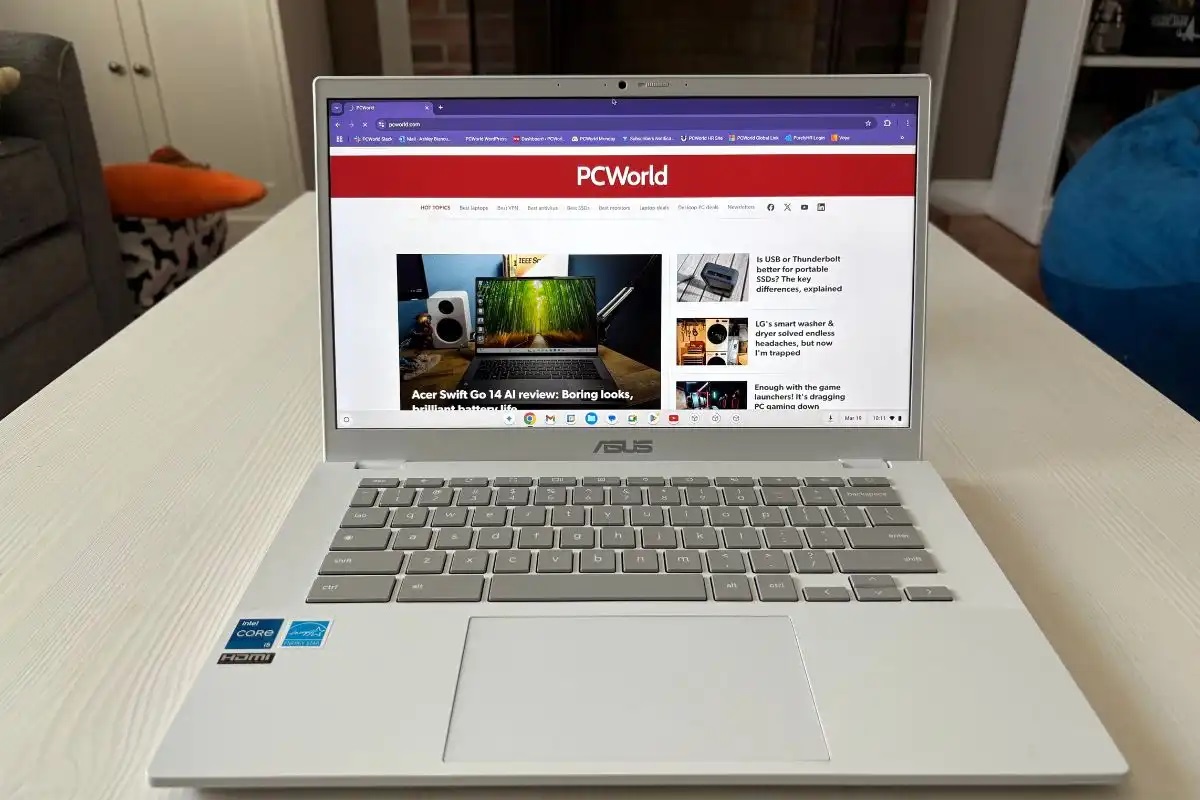
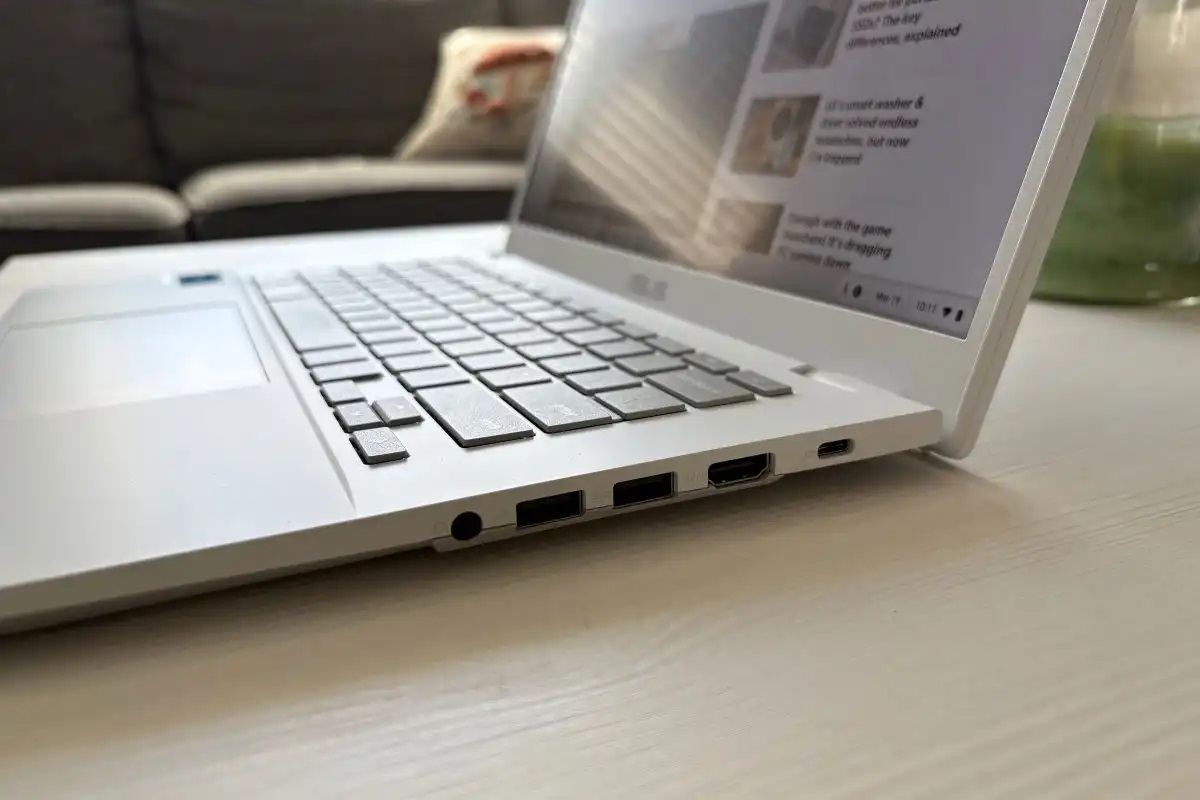






The Asus Chromebook Plus CX34 arrives as a smart, well-rounded Chromebook that balances price, performance, and everyday usability. In practice, it delivers snappy Chrome OS performance thanks to Intel Core processors, responsive RAM options starting at 8GB, and reasonably generous storage choices. Moreover, its 14-inch Full HD touchscreen, lightweight chassis, and thoughtful port selection make it an excellent pick for students, creators on a budget, and professionals who need a fast, low-maintenance laptop for web-first workflows.
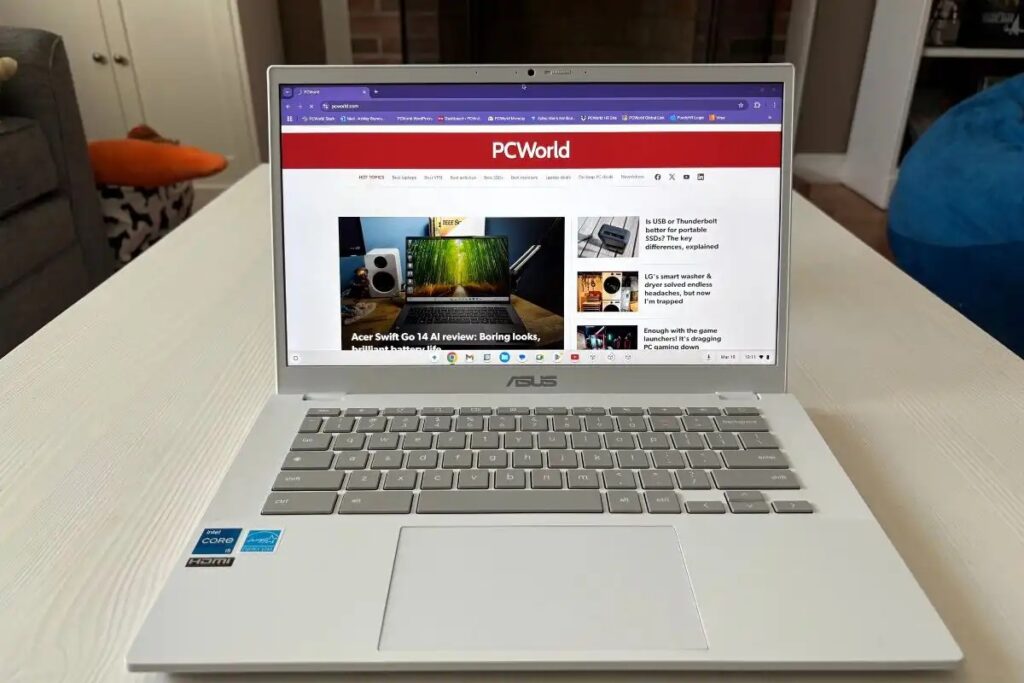
Beyond raw specs, the CX34 stands out for its design language and real-world polish: a distinctive finish, an agreeable keyboard, and a 180-degree hinge that adds practical flexibility. While its display brightness and battery life won’t beat premium Ultrabooks, the Chromebook Plus CX34 gives more than enough for the price point—particularly when you factor in Chrome OS optimizations and Google’s Chromebook Plus feature set that leans into productivity and AI-enabled workflows. Overall, this review takes a positive slant: the CX34 is a compelling value proposition for buyers who want modern Chromebook performance without premium-tier costs.
Table of Contents
- Introduction: Where the CX34 Fits
- What’s in the Box
- Design and Build Quality
- Display: Size, Resolution, and Real-World Use
- Performance: CPU, RAM, and Storage Options
- Thermals and Noise
- Keyboard, Trackpad, and Input Experience
- Battery Life and Charging
- Ports and Expandability
- Webcam, Microphones, and Speakers
- Software, Chromebook Plus Features, and AI Enhancements
- Real-World Benchmarks and Use Cases
- Competitor Comparison — Where CX34 Shines
- Who Should Buy the CX34?
- Pros and Cons (At a Glance)
- Final Takeaway (Renamed Conclusion)
- Frequently Asked Questions (FAQ)
1. Introduction: Where the CX34 Fits
The Asus Chromebook Plus CX34 (CX3402) was introduced as part of Google’s refreshed Chromebook Plus initiative, which raises the baseline for what a Chromebook should offer: stronger CPUs, minimum 8GB RAM, 1080p webcams, and better displays. Asus positions the CX34 as a mainstream, productivity-first Chromebook that sits between basic education Chromebooks and premium convertible notebooks. Consequently, the CX34 brings Intel Core U-series processors, up to 16GB RAM on select SKUs, and a 14-inch 1080p touchscreen—specs that let it handle browser-heavy workflows, Android apps, Linux containers, and light content creation with dignity. (Lifewire)
Because Google’s Chromebook Plus program emphasizes practical computing improvements over gimmicks, the CX34 aims to be a workaday hero: not the flashiest machine, but one that improves everyday productivity without bloating cost. In short, it’s a Chromebook for people who actually want to do more than check email.
2. What’s in the Box
Out of the box, you’ll typically find:
- Asus Chromebook Plus CX34 laptop (main unit)
- 45W USB-C power adapter (varies by region)
- Quick start guide and warranty paperwork
- Some retail bundles may include adapters or an SD card (depending on retailer promotions)
Asus keeps packaging minimal and functional, which aligns with the device’s practical positioning. The charger is compact and supports reasonably fast charging, which is a nice touch for a productivity laptop.
3. Design and Build Quality
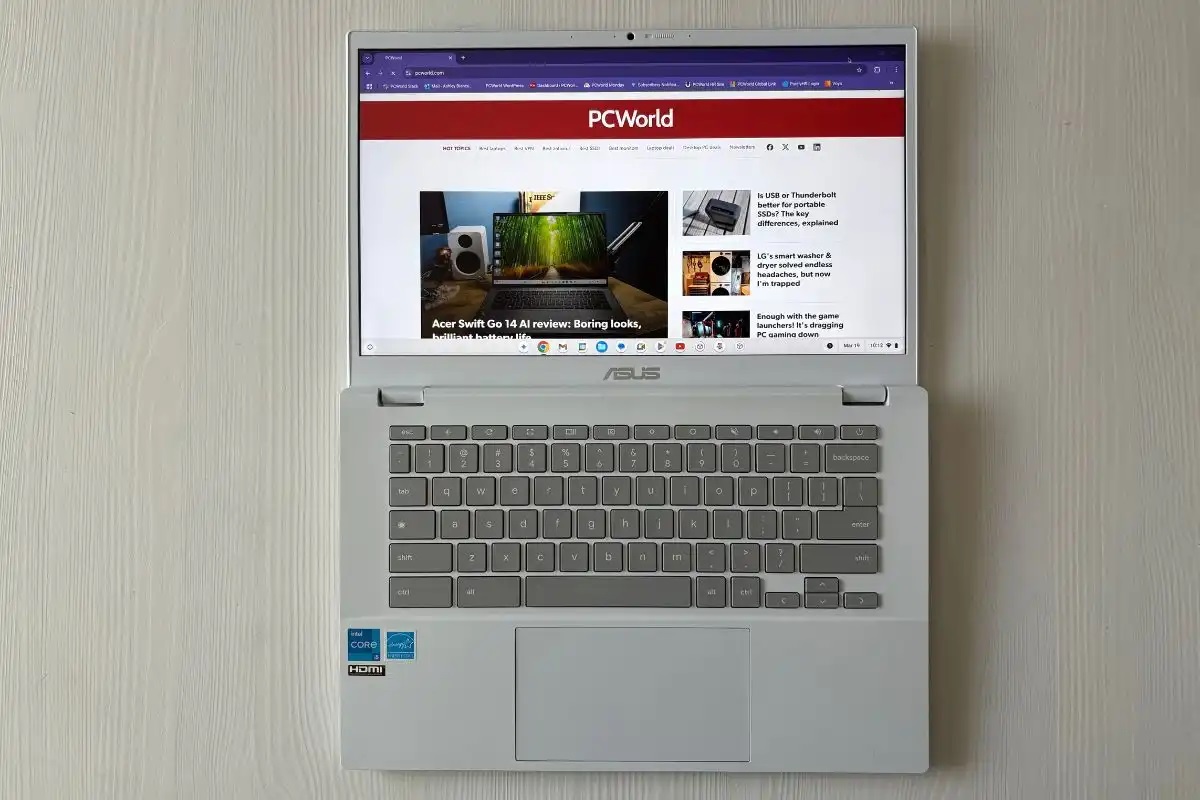
Asus opted for a clean, modern aesthetic with the CX34. The chassis uses a mix of durable plastic and refined finishes that give it a premium look without heavy weight. Many reviewers have praised the white/speckled or “rocky gray” finishes because they break the monotonous slab look found in many budget laptops—this aesthetic makes the CX34 feel intentionally designed rather than simply reduced in cost. The laptop weighs around three pounds and maintains a slim profile that is comfortable to carry in a backpack or a slim messenger. (9to5Google)
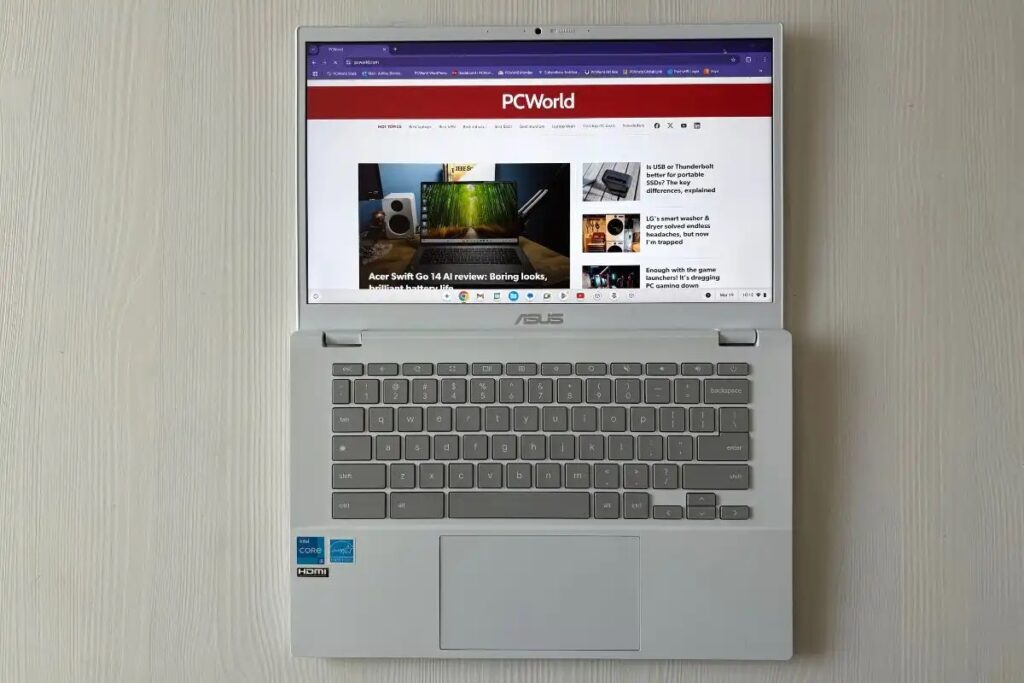
Moreover, the 180-degree hinge is a practical touch. It allows the screen to lie flat for sharing content or for alternative setups in meeting rooms and classrooms. The build quality is solid: no creaks, no wobbly bezels, and a lid that resists twisting. In this price segment, that sturdiness matters because it extends usable lifespan and gives the device a more grown-up feel.
4. Display: Size, Resolution, and Real-World Use
The CX34 sports a 14-inch Full HD (1920×1080) IPS display with a touch option on many SKUs. The matte anti-glare finish reduces reflections and generally looks better for long reading or productivity sessions compared to glossy alternatives. The panel’s brightness tends to hover around the mid-200 nits on certain configurations, which is adequate indoors but slightly dim for sunlit outdoor use. Color accuracy is serviceable for web content and casual photo edits, though professional photographers will want an external color-accurate monitor.
Because the Chromebook Plus program emphasizes a better user experience, the touchscreen (where included) is responsive and integrates well with Chrome OS gestures and Android apps. However, Asus didn’t push the display envelope with higher refresh rates or extreme brightness, and that’s a conscious tradeoff: instead of bleeding-edge display tech, Asus focused on balance and battery life. For nearly all productivity work—docs, spreadsheets, web apps, video calls—the screen is perfectly acceptable. (ASUS Global)
5. Performance: CPU, RAM, and Storage Options
Performance is where the CX34 most clearly differentiates itself from baseline Chromebooks. Configurations range from Core i3 to Core i5 (and in enterprise variants, even Core i7 or other U-series chips), paired with 8GB or 16GB of LPDDR5 RAM and storage options that include UFS or SSD up to 512GB depending on the SKU. This hardware mix gives the CX34 real headroom for multitasking—Chrome tabs, multiple Android apps, and even Linux developer tools run smoothly. (PCWorld)
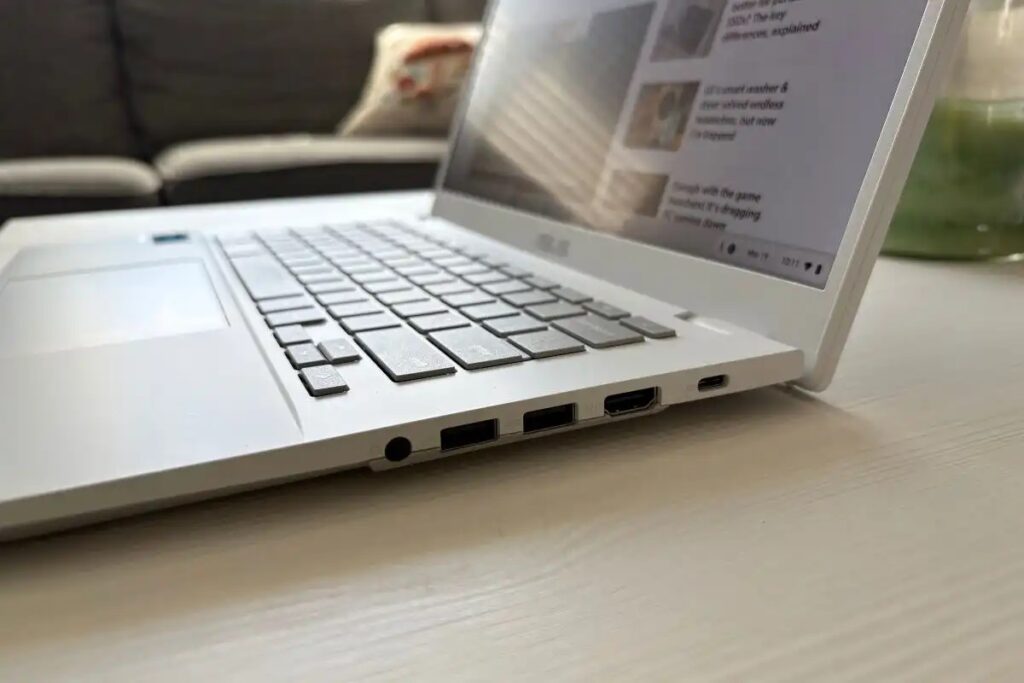
In daily use, the CX34 feels snappy. Pages render fast, switching between tabs is fluid, and light media editing is possible thanks to integrated Iris Xe graphics on the Intel chips. For heavier workloads—large photo exports, extensive virtualization, or demanding Windows apps via Parallels—the device will show its limits, but that’s expected. For Chrome OS’s intended workflows, the CX34’s CPU/RAM balance is near ideal.
6. Thermals and Noise
Asus engineered the CX34 to remain cool under typical loads. Under sustained browser work and streaming, surface temperatures stay comfortable and fans rarely become intrusive. When pushed—for instance, with multiple heavy web apps, Linux containers, or long video exports—the fans ramp up noticeably but not unpleasantly. In short, the thermal solution is competent for the device class: it limits throttling while keeping noise within acceptable ranges for a home or office environment.
That said, if you plan on running sustained CPU-heavy jobs frequently, expect the Chromebook to get warm and for performance to taper as the CPU enters thermal limits. Most users, though, won’t hit that scenario often.
7. Keyboard, Trackpad, and Input Experience
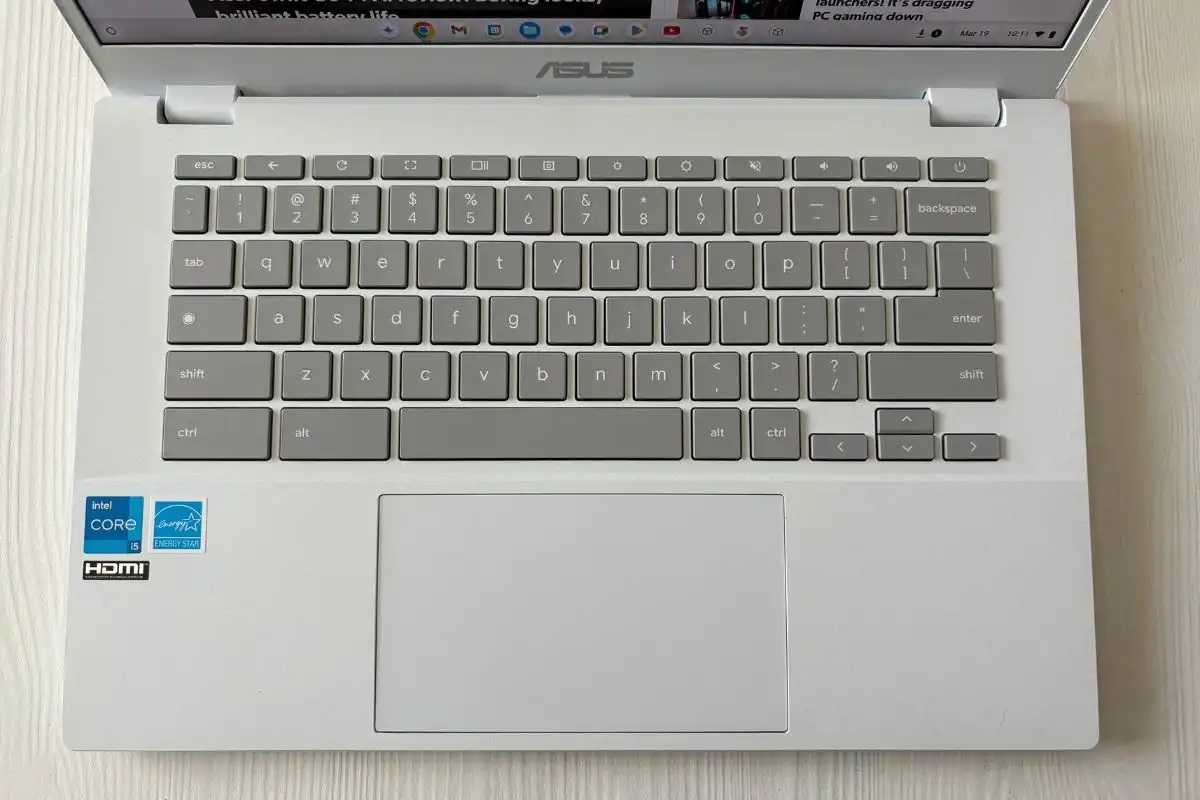
The CX34’s keyboard is one of its strongest assets. Keys offer satisfying travel and a responsive feel, which is rare for many laptops at this price point. The layout follows Chromebook conventions (with a dedicated search key and Chromebook-specific function row), and the spacing suits long typing sessions.
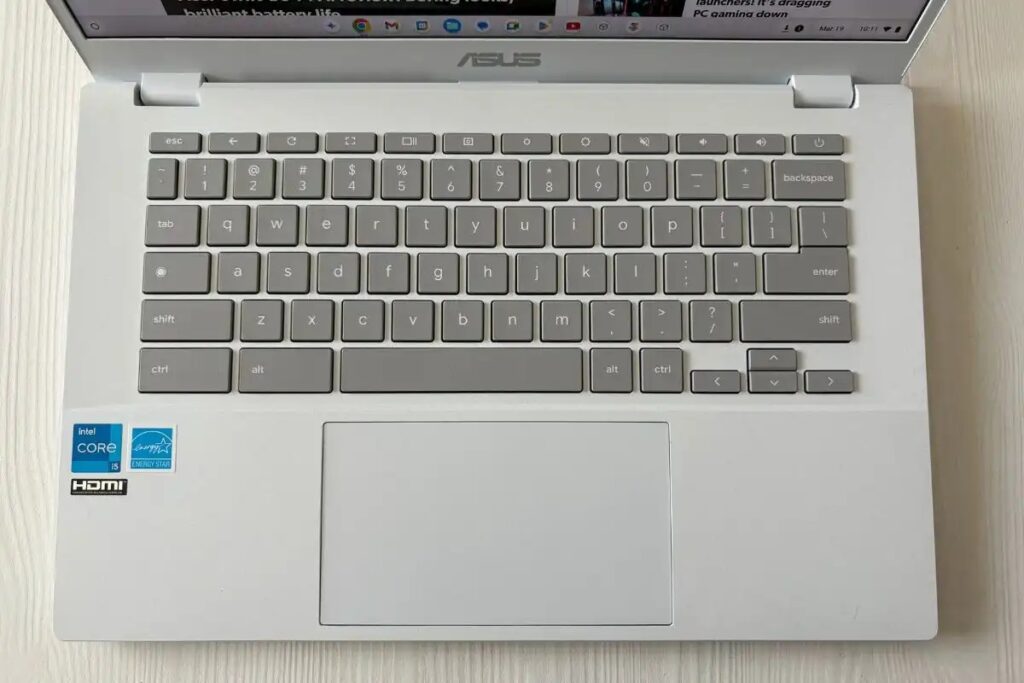
The trackpad proves large and accurate, supporting Chrome OS gestures such as three-finger swipes and pinch-to-zoom without hiccups. While some early models in the Chromebook Plus line omitted backlit keys, later SKUs and regional variants sometimes include backlighting—so check your specific model if that feature matters to you. Overall, the typing and navigation experience feels intentional and comfortable, which elevates the laptop for writers, students, and office users. (The Verge)
8. Battery Life and Charging
Asus claims up to roughly 8–10 hours depending on the configuration and usage—a realistic estimate under light browsing and productivity loads. In heavier mixed-use scenarios (multiple tabs, video conferencing, Android apps), expect battery life in the 5–7 hour range. The laptop supports USB-C charging and typically ships with a compact 45W adapter that offers quick top-ups—handy for users who move between classes or meetings. In practice, battery life sits comfortably in the expected range for productivity Chromebooks: not ultralong, but more than sufficient for a work or school day when used sensibly. (ASUS Global)
9. Ports and Expandability
Asus includes a practical set of ports: two USB-C ports (supporting power delivery and DisplayPort), a USB-A port, microSD slot (on many models), HDMI output on select versions, and a 3.5mm headphone jack. This mix enables easy connection to external displays, storage, and peripherals without forcing users into constant dongle use. The presence of USB-A remains a welcome nod to real-world compatibility. For most users, the CX34 offers enough ports to be flexible in both mobile and desk setups. (ASUS Global)
10. Webcam, Microphones, and Speakers
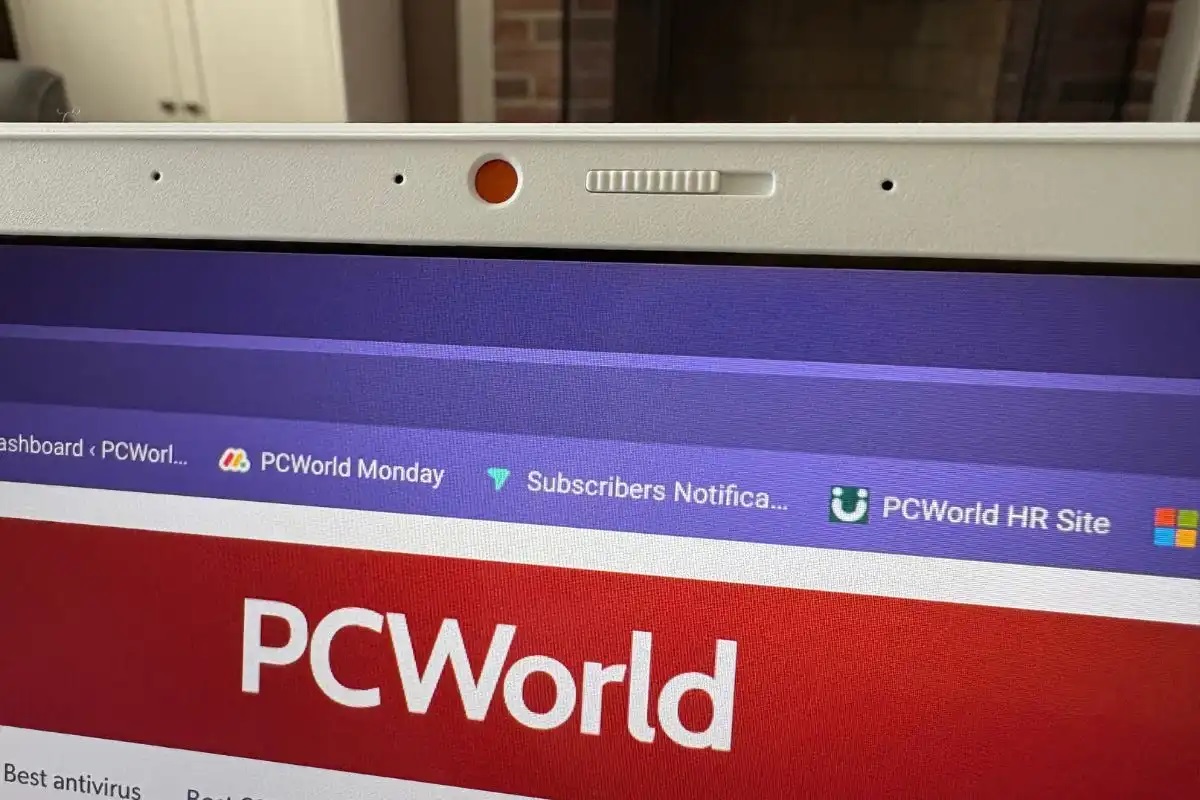
The CX34 delivers a solid 1080p webcam on many Plus configurations, which is a step up from the 720p webcams still common on older Chromebooks. The camera provides clearer, sharper images for video calls and includes practical privacy features like a physical cover on some models. Microphone quality is good for calls, and the audio system produces clear voice reproduction.
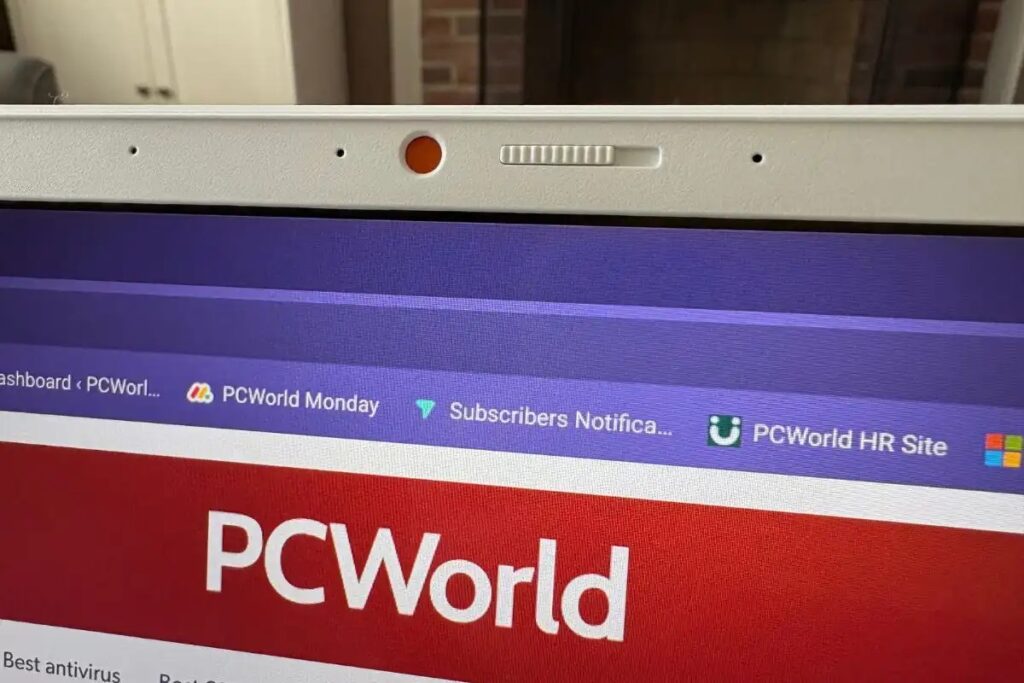
Speaker volume and bass are average—good enough for casual media consumption and conference calls but not a replacement for external speakers when you want deep sound. Taken together, the communications hardware feels tailored for the hybrid meeting era: better webcams, decent mics, and reliable audio for speech. (WIRED)
11. Software, Chromebook Plus Features, and AI Enhancements
The CX34 ships with Chrome OS and benefits from Google’s Chromebook Plus enhancements. These include better performance optimizations, additional quality control for webcams and displays, and OS features aligned with productivity enhancements—especially Google Photos improvements and Meet enhancements. Additionally, many Chromebook Plus devices receive preferential treatment for features that tie into Google’s AI and Gemini initiatives (subject to regional availability), like smarter photo editing and AI-assisted content features.
Crucially, Chrome OS’s lightweight nature ensures fast boot times, simplified updates, and strong security. For users already embedded in Google’s ecosystem—or those who want a low-maintenance laptop for web apps—the CX34 represents a polished, modern Chromebook experience.
12. Real-World Benchmarks and Use Cases
Benchmarks on Core i5 configurations show strong single-threaded performance and competent multi-threaded throughput for the Chromebook category. In everyday tasks—document editing, web research, streaming, and light photo edits—the CX34 performs admirably. It also handles multiple virtual desktops and Linux development environments well, though truly heavy compilation or rendering work will favor higher-end PCs.
Use cases where the CX34 shines:
- Students who need long battery sessions, strong typing comfort, and an inexpensive but capable machine for classes.
- Remote workers who rely on web apps, video calls, and some light multitasking.
- Creators who use cloud tools and Android creative apps (e.g., Adobe Express) for quick edits and social content.
- Anyone looking for a low-maintenance, secure laptop that stays fast over time due to Chrome OS updates.
13. Competitor Comparison — Where CX34 Shines
Compared to other Chromebook Plus devices, the CX34 stands out for its balance: better build and keyboard feel than many budget machines, and more approachable pricing than some premium Chromebook models. Against Windows ultrabooks in the same price bracket, the CX34 gives you greater battery efficiency for web tasks and simpler maintenance, though Windows machines might edge ahead for raw application compatibility and specialist software.
When choosing between similarly priced Chromebooks, look at CPU generation, RAM, display brightness, and webcam quality—areas where Asus did well by prioritizing a modern Intel CPU, at least 8GB RAM, and 1080p cameras on many SKUs. For buyers who favor polished daily use over top-end displays or gaming, the CX34 often wins on overall value. (9to5Google)
14. Who Should Buy the CX34?
Buy the CX34 if you:
- Want an affordable Chromebook with real multitasking ability (8GB+ RAM).
- Prefer a comfortable keyboard and reliable trackpad for long typing sessions.
- Need a 14-inch screen that balances portability and productivity.
- Value Chrome OS’s simplicity, speed, and security.
- Are budget conscious but still want premium touches like a sturdy hinge and a refined finish.
Avoid the CX34 if you:
- Require a very bright display for frequent outdoor work.
- Depend on heavy local Windows-only apps that Chrome OS can’t replace.
- Need the absolute longest battery life available from premium Ultrabooks.
15. Pros and Cons (At a Glance)
Pros (positive bias):
- Strong value for performance and build quality at the price point.
- Comfortable, well-travel keyboard and a responsive trackpad.
- 14-inch Full HD touchscreen options with good touch integration.
- Modern CPU choices (Core i3 / i5 options) and up to 16GB RAM on some SKUs.
- Good port selection including USB-A, USB-C, HDMI (select models), and microSD.
- Solid webcam (1080p on many models) and practical privacy features.
- Chrome OS benefits: fast boot, simple updates, strong security, and integration with Google’s productivity tools. (PCWorld)
Cons (tempered, realistic):
- Display brightness and color gamut are average—less ideal for outdoor or color-critical work.
- Battery life is good but not class-leading under heavy loads.
- Backlit keyboard not guaranteed on all SKUs—check your specific model.
- Not built for heavy local workstation tasks (e.g., large video rendering).
16. Final Takeaway
The Asus Chromebook Plus CX34 earns its place as a standout value in the modern Chromebook lineup. Rather than chasing one flashy feature, Asus polished the fundamentals: comfortable typing, competent internal hardware, modern ports, and sensible display options. For anyone who uses cloud-forward workflows, relies on Google services, or simply needs a dependable laptop for study and work, the CX34 delivers more than enough capability—often at a price that undercuts more expensive Windows alternatives.
In short, buy the CX34 if you want a sensible, practical Chromebook that prioritizes productivity and usability. With its positive combination of performance, design, and Chromebook Plus benefits, it’s hard not to recommend this machine to students, hybrid workers, and price-conscious buyers who still want a premium feeling device.
17. Frequently Asked Questions (FAQ)
Q: What are the typical configurations available for the Asus Chromebook Plus CX34?
A: Models vary by region but commonly include Intel Core i3 and Core i5 U-series processors, 8GB or 16GB of LPDDR5 RAM, and storage ranging from 128GB UFS to 256GB or 512GB SSDs in higher SKUs. Specific enterprise or regional variants can include different CPUs and storage options. (PCWorld)
Q: Does the CX34 support Linux apps and Android apps?
A: Yes. Chrome OS on the CX34 supports both Android apps from the Google Play Store and Linux (via Crostini), making the laptop flexible for development, productivity tools, and many creative apps.
Q: Is the screen touch-enabled on all models?
A: No. Touchscreens are available on many CX34 SKUs but not universally standard. If touch is important, verify the specific model’s spec sheet before purchase. (ASUS Global)
Q: How long does the battery last in real use?
A: Under light productivity tasks, you can expect around 8–10 hours; under heavier mixed workloads, plan for approximately 5–7 hours. Real battery life depends on brightness, app usage, and whether you’re streaming or running background processes. (ASUS Global)
Q: Does the CX34 have a backlit keyboard?
A: Some SKUs include backlit keyboards, while others do not. This seems to vary by region and configuration, so check the specific model listing if backlighting matters to you. (The Verge)
Q: How does the CX34 compare to similarly priced Windows laptops?
A: The CX34 often wins on simplicity, speed for web tasks, and battery efficiency for everyday workflows. Conversely, Windows machines may offer broader application compatibility and sometimes brighter displays or different port configurations. Your choice should reflect whether your workflow is predominantly web-based (favor CX34) or reliant on Windows-only software (favor Windows). (9to5Google)